Investor Map and Figure Design for Junior Mining Companies
A junior mining company's investor figures are a small set that every release and deck reuses: a regional location map, a claims map, a project geology and targets map, a drill plan, a section and a 3D view. They work when they share one house style, carry one message each, read at phone size and state their assumptions on the figure. The hard part is keeping them current as claims, assays and models change; you can do that in-house with self-serve tools, with a freelance designer or GIS consultant, or with a managed service such as Exploration Maps for Teams.
Why figures carry so much weight
Many readers of a junior's news release look at the figure before the table, and many never get to the table. The figure is reposted on social media without the release, dropped into a newsletter, and reused in the next deck. That makes a handful of maps and drill figures some of the most widely seen material a company produces, often made in a hurry the night before a release by a geologist who would rather be doing geology.
The core figure set
A fact sheet and the website project page reuse cut-down versions of the same figures. Six figures, each changing on its own schedule, is the real workload.
| Figure | Answers | Changes when |
|---|---|---|
| Regional location | Where is it, and how do you get there? | Rarely; access or neighbours change |
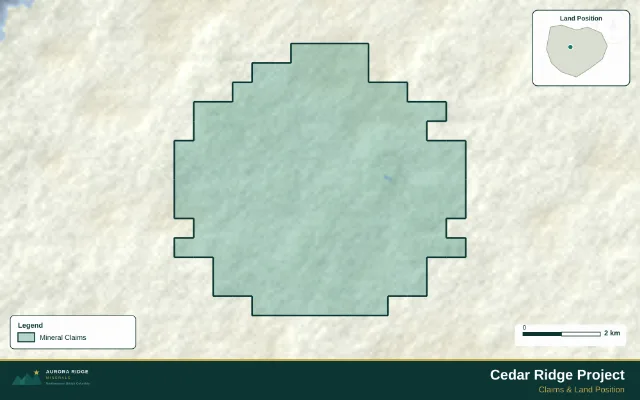
| Claims and land | What do you hold, and who is next door? | Staking, options, lapses |
| Project geology and targets | Why here? | New mapping, geophysics or sampling |
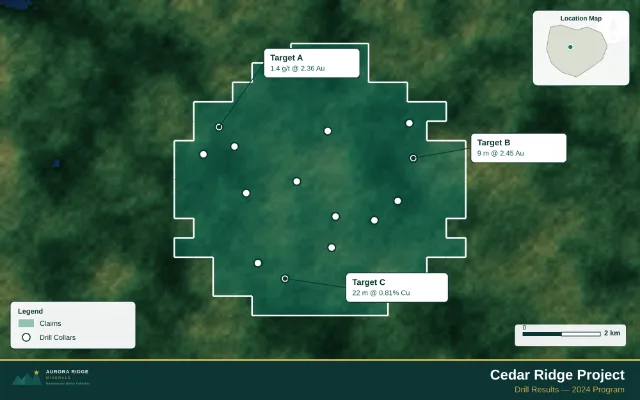
| Drill plan | Where have you drilled, and what did it hit? | Every drill release |
| Cross section | How deep, and does it connect? | Every drill release on that line |
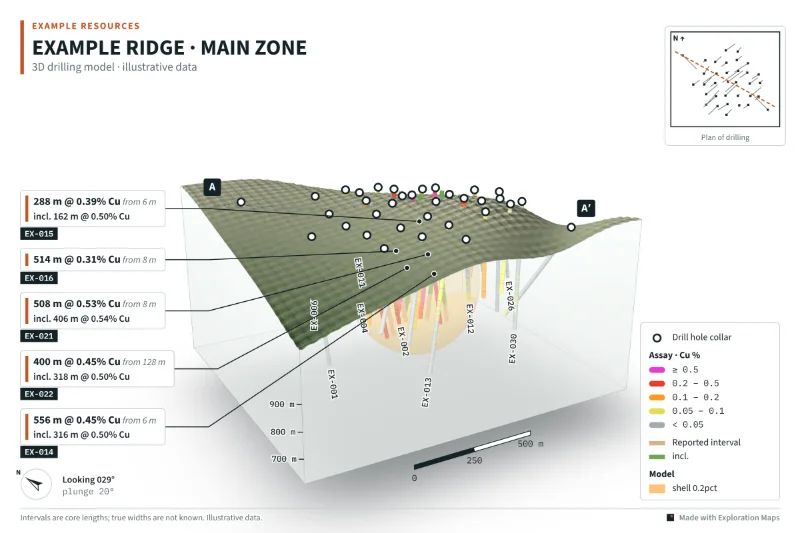
| 3D drilling figure | How big is the system? | Every drill release, new models |
Design rules that make investor figures work
The step-by-step version for a deck is in how to create an exploration map for an investor presentation, and the choice between section and 3D is covered in cross sections vs 3D block figures.
- One message per figure. If the headline is a step-out, the figure is about the step-out; everything else is context in lighter colours.
- One house style. The same fonts, colours, legend order and symbols on every figure, so readers learn them once.
- Phone first. Most people will see the figure on a phone. Test it at that size; if a callout cannot be read, it is too small or there are too many.
- Label the story, not the dataset. Call out the intercepts the release headlines, not every hole.
- Put the assumptions on the figure: core length or true width, a metal-equivalent formula, data sources, "illustrative" where it applies.
- Scale, north and orientation on every map and section, and the view direction and plunge on 3D figures.
- Honest context: neighbouring projects in a neutral style, distances that are true, and nothing implied about ground you do not hold.
Keeping figures current is the real job
Making one good figure is a design problem. Keeping six of them consistent across three years of releases, two option agreements and a new resource model is a process problem. Figures drift: a claim that lapsed stays on the map, last quarter's colour limits differ from this quarter's, the deck shows an older section than the release. The cure is to build the base maps and house style once and treat each new result as an update to them, rather than a new drawing.
Your options
| Option | Good for | Watch for |
|---|---|---|
| In-house, self-serve tools | Teams with a geologist who can spare the time; quick figures between releases | Time on drafting instead of geology; style drift between people |
| Freelance graphic designer | Polish and brand consistency | Technical errors creep in if the designer cannot read the data |
| GIS or geological consultant | Complex analysis and technical report figures | Cost and turnaround for routine updates |
| Managed figure service | Keeping the whole set current on a schedule | Needs a clear data hand-off and an approval step |
Doing it yourself with Exploration Maps
Exploration Maps makes claim, project and drill maps in the browser from public registry data and your own files, and Exploration Maps 3D (beta) turns collar, survey and assay CSVs into a branded 3D figure and section. Both are free to start. For how-tos, see making a mining claims map and making a 3D drill hole figure.
Having it done: Exploration Maps for Teams
Exploration Maps for Teams is a managed map and figure service for exploration companies, geology teams and consultancies. You share your data once: claims, drill database, assays, geology, models and your current deck. The team proposes a map set, sets up your visual style, and delivers figures that are checked against the source data and sent to you for approval. When assays, claims or models change, the affected figures are updated and sent back for sign-off.
See Exploration Maps for Teams for how it works, or send your latest news-release map for a free review.
- Three service levels, each a monthly retainer quoted after a scoping call: Managed Maps; Maps + Presentation, which adds the corporate deck and fact sheet; and Corporate Materials, which adds website project pages and priority turnaround around releases.
- Your Qualified Person keeps technical sign-off, and nothing is published or sent on your behalf.
- Data stays private to your account, with an NDA on request.
- Every plan includes Exploration Maps and the 3D maker for your own team.
- It is a new service: the connected data-room monitoring and client portal described on the Teams page are still in development.
A figure review before every release
For the labelling detail, see how to show assays pending holes and intercepts.
- Claims shown match the registry as of the release date
- Callouts and tables agree to the same rounding
- Pending holes are labelled, not drawn as blank traces
- Assumptions (core length, equivalents, data sources) are on the figure
- The figure reads on a phone
- The QP has signed off the final exported files