Exploration Maps vs QGIS for Exploration Mapping
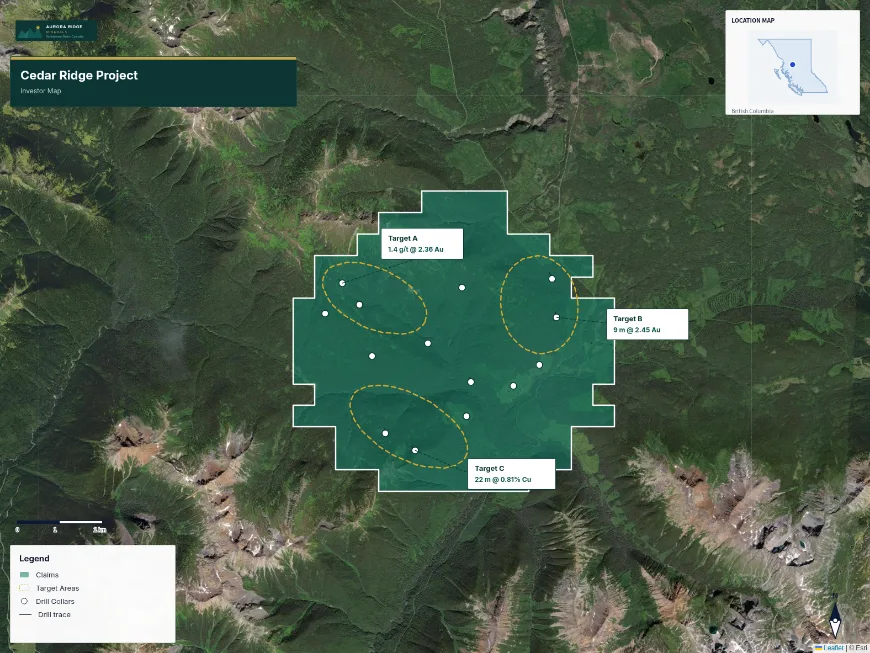
QGIS is a full open-source GIS and it is the better tool for spatial analysis, coordinate system management, raster and geophysical processing, and advanced cartography. Exploration Maps is narrower on purpose: it produces presentation-ready exploration figures — claim maps, drill collar plans, investor and news-release figures — without a desktop install or a layout composer. Most exploration teams end up using both, with QGIS for preparation and analysis and Exploration Maps for the figure that goes out.
What QGIS is genuinely better at
QGIS handles coordinate system transformation and CRS management properly, does real spatial analysis, processes rasters and geophysical grids, and its print layout composer will produce any cartographic output you can specify. It is free and open source, actively developed, and it is the correct answer for most serious GIS work in an exploration company. If your problem is analytical, use QGIS.
Exploration Maps: Fast Output, No Configuration
Exploration Maps is deliberately narrow. Design themes fix the title block, legend, panel colours and fonts, so producing a figure is a matter of adding data and framing it rather than composing a layout. That is a real constraint as well as a convenience — if you need a bespoke cartographic layout, a layout composer is the right tool and QGIS has one.
Using both
Most experienced exploration teams use a hybrid workflow: QGIS for data preparation, coordinate system management, and any spatial analysis (clipping, buffering, processing geophysical grids), then export the results as GeoJSON for import into Exploration Maps for final presentation-quality output. This leverages the strengths of both tools.
Cost, and the honest version of the trade-off
QGIS is free, which matters to a bootstrapped junior. Exploration Maps has a free tier and a $29/month Pro tier. The trade-off is not price, and it is not quality — a skilled GIS user will produce a better map in QGIS than in anything else, given time.
The trade-off is who is doing the work and how often. A team with a GIS specialist should keep using QGIS. A team where the geologist is also the cartographer, producing the same kinds of figures repeatedly under deadline, generally finds a narrower tool gets the figure out. Both things can be true.
Side-by-Side Comparison
| QGIS | Exploration Maps | |
|---|---|---|
| Cost | Free, open source | Free tier; Pro $29/month |
| Install | Desktop application | Browser |
| Spatial analysis | Full — clipping, buffering, raster and geophysical processing | Not an analysis tool |
| Coordinate systems | Full reprojection and CRS management | Expects WGS84; converts common inputs |
| Cartography | Unlimited via the print layout composer | Themed layouts with fixed structure |
| Mineral claim search | Manual — download and import registry data yourself | Built in for seven Canadian jurisdictions |
| Tenure deadline tracking | Not a GIS function | Tenure Monitor (British Columbia) |
| Best at | Analysis, data preparation, bespoke cartography | Repeatable presentation figures |