Exploration Maps vs ArcGIS for Mining Maps
Exploration Maps is purpose-built for investor-ready mining maps and can produce a polished export in 15–30 minutes with no GIS training required. ArcGIS is a full GIS platform best suited for complex spatial analysis, but requires expensive licensing, significant training, and hours of configuration to produce presentation-quality map outputs.
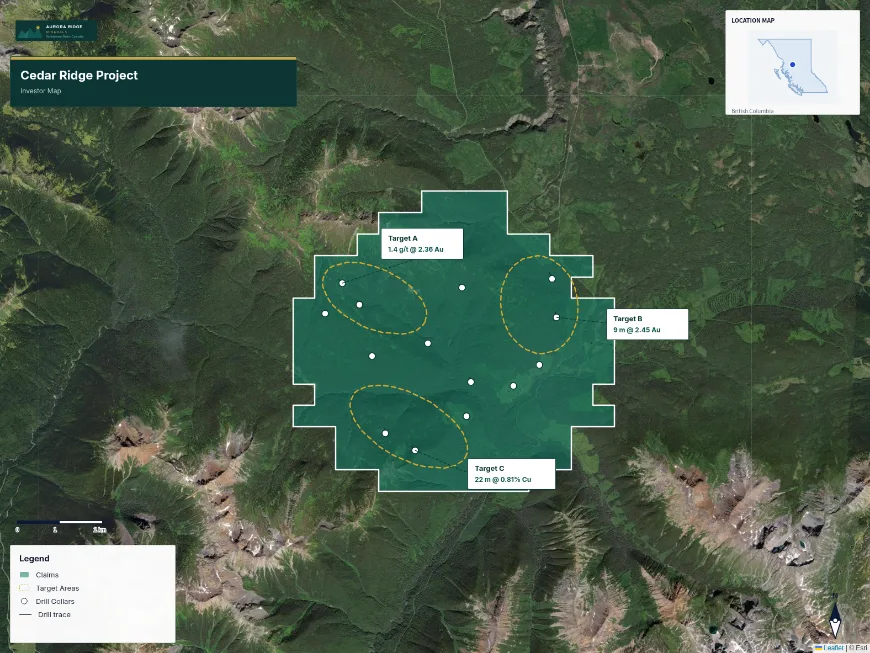
The Core Difference
ArcGIS is a professional GIS platform designed for spatial analysis, data management, and complex cartography. It can do almost anything — but that power comes with steep licensing costs ($1,500–$10,000+ per year), a significant learning curve, and the need for a dedicated GIS professional to operate it effectively. Exploration Maps is a single-purpose tool: create investor-ready exploration maps quickly, without GIS expertise.
Speed to a Polished Map
In ArcGIS, producing a presentation-quality map requires setting up a project, importing data, managing coordinate systems, configuring the layout view with title blocks and legends, and often several rounds of style adjustments. A first map typically takes 2–4 hours for someone experienced with the software. In Exploration Maps, importing data, applying a theme, and exporting a polished PNG takes less timeutes on a first use — with no prior experience required.
Cost Comparison
ArcGIS Pro (the standard desktop version) costs approximately $1,500 USD per year for a single named-user license. ArcGIS Online subscriptions start at $500/year. For a junior mining company producing 5–10 maps per year, this cost is difficult to justify — particularly when a GIS consultant at $75–$150/hour must also be engaged to operate the software. Exploration Maps is significantly more accessible for small teams.
When ArcGIS is the Right Choice
ArcGIS is the right choice when you need complex spatial analysis: processing geophysical grids, running mineral potential modelling, managing large claim tenure datasets, or producing regulatory GIS deliverables that require specific projection standards and metadata. For these tasks, Exploration Maps is not the right tool. If your goal is producing a clean map for an investor deck or news release, ArcGIS is substantial overkill.
When Exploration Maps is the Right Choice
Exploration Maps is the right choice for: investor presentations, NI 43-101 figures, exploration news release maps, property overview maps, and any situation where speed and presentation quality matter more than raw GIS capability. It is particularly well-suited to geologists and IR professionals who need to produce maps regularly but do not have GIS training.
Side-by-Side Comparison
| Feature | Exploration Maps | ArcGIS Pro |
|---|---|---|
| Learning curve | Minutes | Months |
| Time to polished map | 15–30 min | 2–4 hours |
| Annual cost | Low | $1,500+ USD |
| GIS analysis | Basic | Full-featured |
| Investor-ready themes | Built-in (5 themes) | Manual setup required |
| Browser-based | Yes | No (desktop app) |
| NI 43-101 export | PNG, SVG, PDF | PDF, various |
| No GIS training needed | Yes | No |