Best Mining Map Software for Junior Exploration Companies
If you need clean, investor-ready maps quickly and without a GIS specialist, Exploration Maps is the fastest path. If you need spatial analysis, coordinate transformations, or heavy data processing, QGIS (free) or ArcGIS remain the better tools. Many teams use both: do the analysis in a GIS, then build the presentation map in Exploration Maps. Exploration Maps is a fast map-making and visualization tool, not a replacement for a full GIS.
What junior mining companies actually need from a map tool
Junior exploration teams mostly need a specific set of outputs: investor presentation figures (16:9 PNG), NI 43-101 report maps (PDF), news-release figures, and property overview maps for decks and websites. That's a different job from the spatial analysis majors and government surveys do — and the right tool depends on which job you're doing.
Quick answer: which tool when
- Need a clean investor or news-release map fast, no GIS specialist → Exploration Maps
- Need spatial analysis, reprojection, or heavy data processing → QGIS or ArcGIS
- Have a GIS pro and an enterprise stack already → ArcGIS or MapInfo
- Need bespoke custom cartography for a one-off → GIS export + Illustrator finishing
- Common reality → use a GIS for analysis, then Exploration Maps for the presentation map
Exploration Maps: fastest path to a clean investor map
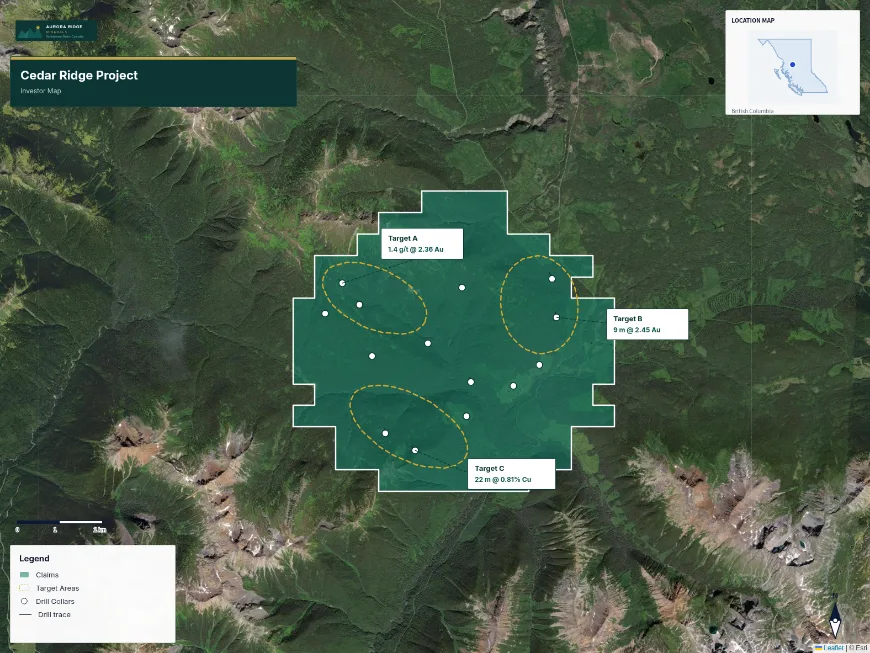
Exploration Maps is purpose-built for junior mining presentation maps. It ships investor-ready themes pre-configured with north arrow, scale bar, legend, and title block, searches public claim data, and imports shapefiles, KML, GeoJSON, and drillhole CSVs — browser-based, no GIS training. It is deliberately not a full GIS: for analysis you'll still want QGIS or ArcGIS.
QGIS: best free option with full GIS power
QGIS is excellent for teams with a geologist or GIS professional. It's free, full-featured, and produces high-quality cartography and real spatial analysis — but it takes meaningful time to configure a map to presentation standard, which is exactly the gap Exploration Maps fills.
ArcGIS: industry standard for technical GIS
ArcGIS is the gold standard for professional GIS in mining; most majors and geological surveys run on it. It's the better choice when you need deep analysis and enterprise data management. For a junior whose main need is presentation maps, the cost and learning curve are often hard to justify without a dedicated GIS pro on staff.
MapInfo: capable legacy enterprise GIS
MapInfo (now Precisely MapInfo Pro) is a capable enterprise GIS used at some majors and surveys in Canada and Australia. Like ArcGIS, it's strong for technical work but carries cost and complexity barriers, with a smaller community.
Adobe Illustrator: finishing, not mapping
Some teams polish a GIS-exported map in Illustrator for a bespoke look. Illustrator produces beautiful output but can't handle geographic data natively — it's a finishing layer, not a mapping tool, and impractical for quick, repeatable investor maps.
Side-by-Side Comparison
| Tool | Cost | Learning Curve | Time to Map | Best For |
|---|---|---|---|---|
| Exploration Maps | Low | Minutes | 15–30 min | Investor & NI 43-101 maps |
| QGIS | Free | Days | 1–3 hours | Analysis + cartography |
| ArcGIS | $1,500+/yr | Weeks | 2–4 hours | Enterprise GIS |
| MapInfo | Enterprise | Days | 2–4 hours | Legacy enterprise |
| Adobe Illustrator | ~$600/yr | Days | Hours (finishing only) | Custom polished design |