Drill Results Map — Arizona
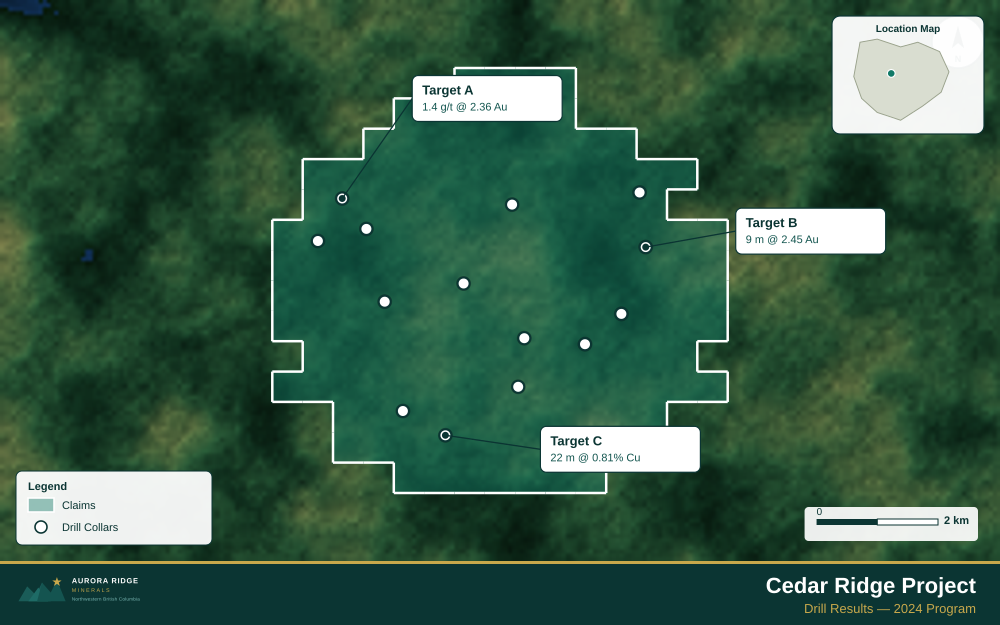
Arizona — the top copper-producing state in the US and home to the massive Morenci open-pit copper mine — is a prime target for junior exploration companies. Here's how to create a professional drill results map using Exploration Maps in 15–30 minutes.
About Mining in Arizona
Arizona is the largest copper-producing state in the United States, with major porphyry copper deposits at Morenci (the largest copper mine in North America) and a strong gold exploration sector.
Key minerals: copper, gold, silver, molybdenum, zinc. Notable deposits: Morenci, Resolution Copper, Bisbee, Globe-Miami District. Mining districts: Globe-Miami, Bagdad, Safford, Ajo.
The Bureau of Land Management (BLM) administers mineral rights in Arizona. Claim data is accessible through BLM MLRS (Mineral & Land Records System).
Getting Mining Data for Arizona
| Portal | Formats | Notes |
|---|---|---|
| BLM MLRS (Mineral & Land Records System) | MLRS reports + map viewer (claims by legal description) | Arizona BLM mining claims use UTM Zone 12N (EPSG:32612). The Arizona State Mine Inspector maintains a separate database for state-land mineral permits — if your property spans both federal BLM land and Arizona State Trust Land, you need two separate data exports and should label each tenure type distinctly. |
How to Create a Drill Results Map for Arizona
For a full step-by-step guide to drill results maps, see How to Make a Drill Results Map.
- Import your drill collar CSV (columns: hole ID, latitude, longitude, depth, assay)
- Assign the Drillholes layer role
- Import the property claims boundary as GeoJSON
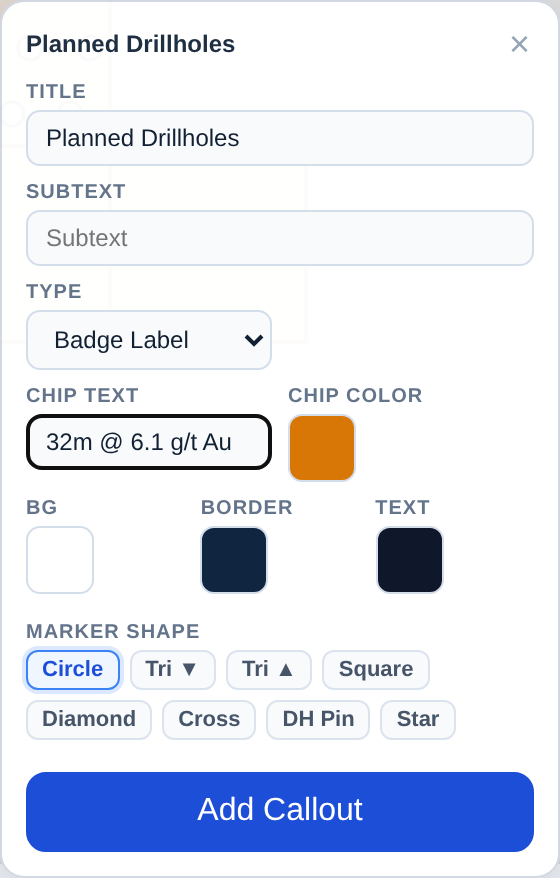
- Add callout labels to key holes showing hole ID and best intercept
- Use Badge Label type to highlight the highest-grade holes
- Configure the title with program name and date
- Set the Landscape 16:9 ratio for news release figures
- Export as PNG at 2× for email and PDF for the news release attachment
Tip for Arizona: Arizona copper porphyry projects often have large, compound footprints in semi-arid mountain terrain — use a high-altitude satellite view and include regional infrastructure (Highway 60, Globe-Miami townsite) to help investors recognize the established mining corridor context that de-risks capital investment.
Recommended Settings for Arizona
- Basemap: Light or Satellite
- Design theme: Investor — Navy & White
- Export format: PNG at 2× for investor presentations, PDF (Letter or A4) for NI 43-101 reports
- Coordinate system: Ensure source data is in WGS84 (EPSG:4326)
Common Use Cases in Arizona
- Exploration news releases
- NI 43-101 technical reports
- Investor day presentations
- Analyst briefings